Choose your target size
Use a quality preset or a custom size in MB when a video needs to fit a sharing limit. Review the exported file before sending.
 freoza.
VIDEOSLIM / VIDEO TOOLS FOR IPHONE
Videoslim is an iPhone video compressor, splitter, and merger. Set a target size in MB, divide a long recording, or bring clips together. Video processing happens on your device.
For iPhone · iOS 16 or later
Free download · In-app purchases
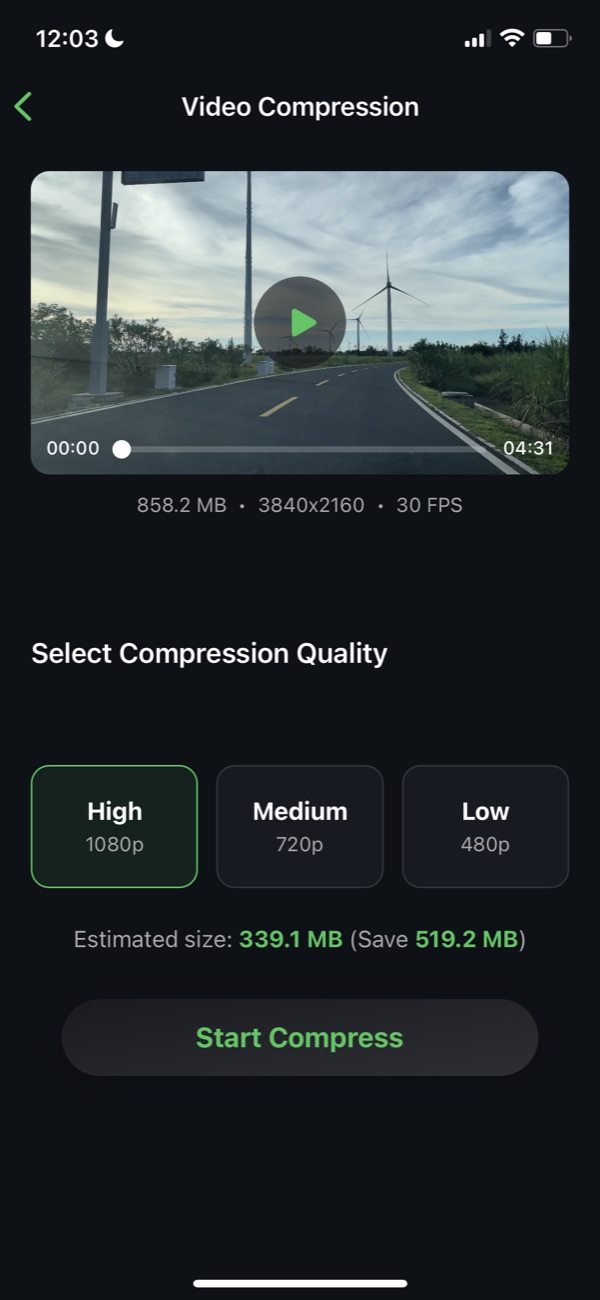
Use a quality preset or a custom size in MB when a video needs to fit a sharing limit. Review the exported file before sending.
Divide a video by duration or into equal parts. Check segment lengths and estimated sizes before export.
Choose multiple clips, drag them into order, and export a combined video. Compatible clips can use a faster merge path.
Open Videoslim and select the video you want to compress from your photo library.
Choose a preset or adjust the custom target size. A smaller target may reduce visual quality.
Compress, compare the result, and save the export. Check its actual size against the destination’s limit.
FAQ
Videoslim lets you choose a custom target size in MB. For a 25 MB upload limit, leave some headroom and check the actual exported size. The final size and quality depend on the source video and compression settings; an exact 25 MB result is not guaranteed.
Reducing file size can remove detail. Choose a higher-quality preset when clarity matters, and preview the result before replacing or deleting an original. The best balance depends on the length and content of your video.
Compression, splitting, and merging run on your iPhone. This describes media processing, not every kind of app data: advertising or diagnostic services may handle other information. Read the privacy policy and App Store privacy details for the full disclosure.
Yes. Split a recording by duration or into equal parts, or combine selected clips in your chosen order. Export time varies with the media and device.
Videoslim is free to download and offers in-app purchases. Paid options include subscriptions and a lifetime purchase. Check the current in-app offer for included features, any free-use limits, and the price in your region.
The current listing requires iOS 16 or later and lists MP4, MOV, H.264, HEVC, HD, and 4K support. Processing time and results vary with the original file and your device.
Privacy policy · Current version, pricing & privacy on the App Store
Product information checked:
Videoslim
Choose a target size, leave headroom, and verify the exported video before uploading.
Videoslim
Divide a recording by duration or into equal parts, then check each segment before sharing.
VIDEOSLIM
Compress, split, and merge with Videoslim on your iPhone.
Download on the App Store
Turn a video moment into a Live Photo, choose its cover, and save it to Photos.

Step through video frame by frame to study movement and inspect the details.